 YundaDesk
A white-label chat bubble for your site
Free omnichannel
AI support
AI-native, modern customer support: an AI assistant, an omnichannel support platform and a knowledge base. Everything you need in one place, to power growth operations across every market.
Trusted by 10,000+ users from day one · no credit card · live in minutes
- Only one number on your bill moves: AI usage
- Out of the box: your first knowledge base is generated from your actual business
- 60%+ answered instantly, 90%+ resolution with coaching (typical target)
- Instagram, Messenger, Zalo and YouTube in one queue
M
Mia Chen
Online · Messenger DM · VietnamSet priority
Handling: Alex
Internal noteTeam only
Website & email3
Send and receive through your own system
Bring customer email into one inbox
Social & messaging7
 WhatsApp
Connect WhatsApp Business to serve customers
 Messenger
Connect Facebook Pages and handle messages
 Instagram DM
Receive and reply to Instagram DMs
 LINE
LINEConnect a LINE Official Account
 Telegram
Connect a Telegram bot for customer messages
 Zalo OA
Connect a Zalo Official Account
 YouTube
Receive and reply to comments
Business messaging1
 WeChat Customer Service
Sync WeChat CS accounts and reply in one inbox
Wherever your customers message from, it lands here
WhatsAppTelegramMessengerInstagram DMLINEWeChatWeComVKZalo OAYouTubeWebsite widgetEmailCustom API
The platform
One platform for customers, teamwork and learning
AI catches every customer first; every real conversation becomes shared knowledge for your team and your AI.

AI agent
AI answers first, humans approve
It knows your products, orders and policies, so it holds the first line; complex or high-risk goes straight to a human.
Explore the AI agent
Omnichannel inbox
More channels, one queue
Instagram DMs, Messenger and WhatsApp, plus Zalo and YouTube — channels most overseas tools miss — arrive natively; one queue replaces a row of dashboards.
Explore the inbox
Controlled learning
Knows you better over time, never out of control
Every human answer settles into a suggestion waiting for you — sourced, testable, revertible. It learns when you say so. Skills start as drafts and only serve customers once simulated and published.
See how learning works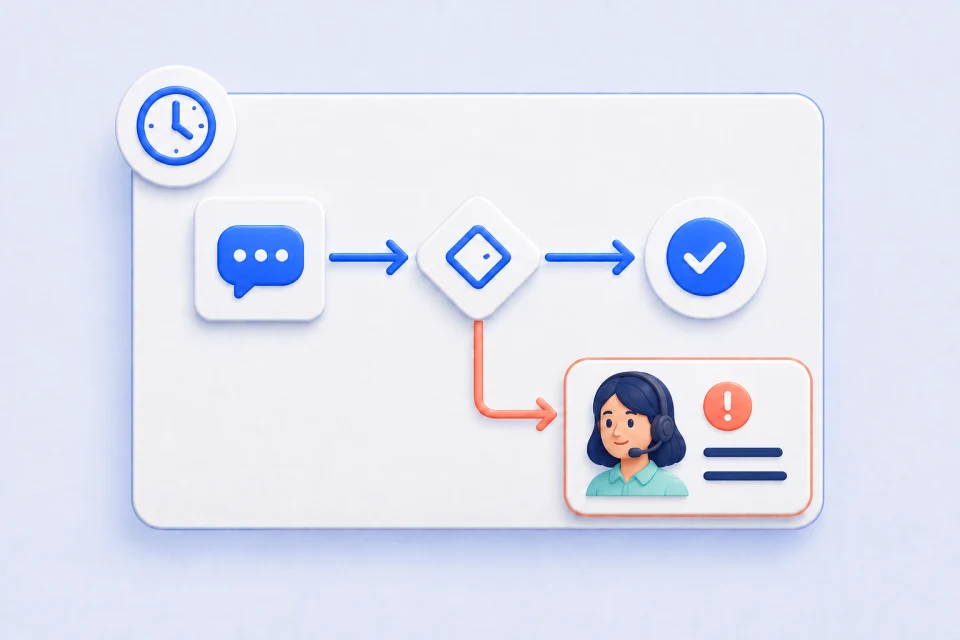
Automation
The routine runs itself
Routing, response-time limits, auto-replies — written as rules, they just run; your team keeps only the work that needs a human.
Explore automation
Knowledge base
Every answer has a source
Products, orders and policies live in one place; add to it like chatting, and every answer traces back to its source.
Explore the knowledge base
Team & profiles
One customer, one profile
Customers switch channels, the profile stays one; assignment, notes and handoffs carry full context.
Explore collaborationYuna · Manage by chat
The system you never have to learn
Ready out of the box: Yuna builds an initial knowledge base from your actual business first. No settings to memorize, no menus to hunt through — tell the AI copilot built in what you need, in one sentence.
Yuna · AI copilotDemo data
Connect Telegram support for me
Yuna
Channels · done by Yuna
Telegram support botConnected · needs token
Website widgetRunning
How did support go this week?
Yuna
Support report · just generated
Chats128
AI resolved74%
Handoffs12
Send a restock notice to waiting customers
Yuna
Outreach draft · awaiting confirm
The trench coat you wanted is back in stock — shall I hold it for 24h? Order today and it ships today.
Confirm & sendEdit draftFrequency OK
High-risk actions always wait for your confirmation
Teach AI in plain language
AI answer not great? Teach it in one sentence
Like coaching a new hire: annotate the reply with how it should be handled — no flowcharts, no code. It goes live only after you confirm, and you can revert it anytime. A month of coaching like this typically takes resolution on routine questions past 90% (typical target; actual results vary by team and knowledge coverage).
CChloe M.Online · us US · WebsiteProduct demo
Do you still have the beige trench coat in M?14:21
AISorry, this item is out of stock.14:21
Correct AI
Correct AI
Describe the correct fact and how the AI should answer or handle it. A review item will be prepared and will not take effect immediately.
Don't just say it's out of stock: apologize first, then guide them to alternatives in the same line — the “Cloud Ease” coat fits similarly and is in stock. Offer the link with a reason, and ask if they'd like a restock alert.
Submit correction
AI correctionConfirm corrections and review results within this conversation.Preparing reviewable learning contentThe asset is ready. The original and a similar question are being re-asked automatically.Confirm learningAuto-verifying
New conversation
Hi, is this coat still in stock?16:05
AIIt just sold out 🙏 The “Cloud Ease” coat from the same line fits almost identically and is in stock — want a look? I can also set a restock alert for you.16:05
Correction succeededMatched 1 timeView learning recordTest / manage skill
YundaDesk AI
More than support — it's your AI team
Outreach follows up for you, learning review keeps AI in check, customer memory remembers every customer — and live translate crosses languages.
AI that follows up on its own
- Abandoned carts, delivery issues and restock alerts, followed up proactively
- Three modes: from draft-only to guarded auto-send
- Frequency-checked and receipt-backed — over the line means approval first
Every bit of AI growth passes through you
- Apply routine suggestions directly; draft and test risky ones
- Traceable to conversations, notes and Yuna teaching
- Track real matches after launch, test or revert anytime
Every customer, remembered
- Sizes, preferences and habits across conversations
- Unresolved items never get lost
- Context loads automatically next time
Agents in their language, customers in theirs
- Customer messages auto-translate for agents, replies go out in the customer's language
- Built-in translate assistant, DeepL available in the app store
- Vietnamese, Thai and more land in the same inbox
Learning reviewProduct demo
↺Traceable · Testable · Revertible
Customer memoryProduct demo
EEmma W.View full profile
AI memory
PreferenceTops size M
PreferenceShoes EU 38
PreferenceHeight 168cm
PreferenceMuted tones
PreferenceDress regular
PreferenceCares about delivery time
Follow-up
Beige trench in XL — restock alert set, she'll be notified
DDaniel K.View full profile
AI memory
PreferenceShoes EU 42
PreferenceRunning gear
PreferencePrefers next-day
Preference4 repeat orders
PreferenceAsks about new arrivals
Follow-up
Refund #1042 in progress — follow up tomorrow
Proactive outreachProduct demo
AIThe trench coat you picked is still in stock — want me to hold it for 24h? Order today and it ships today.
✓Frequency check passed✓Delivery receipt on✓Sends after confirm
Sent · receipt attachedEdit draftConfirm & send
Live translateProduct demo
Customer · Tiếng ViệtĐơn của tôi bao giờ giao tới ạ?Agent view · auto-translatedWhen will my order arrive?
It arrives before 6 pm tomorrow — the tracking number is in your Zalo.Sent in the customer's languageDự kiến giao trước 18:00 ngày mai, mã vận đơn đã gửi qua Zalo của bạn.
If you're on the fence
What's holding you back is probably one of these three
Refunds and compensation are never the AI's call; when unsure, it hands off with context instead of bluffing.
- High-risk actions require human approval
- Runs are replayable
- Learning confirmed first, one-click revert
You get a working AI agent the moment you sign up — live the same day, answering 60%+ of routine questions instantly (typical target).
- No flowcharts, no code
- Train the knowledge base by chatting
- Yuna runs the back office for you
Only one number on your bill moves: AI usage. Credits are included in every plan — no per-seat, per-conversation or per-resolution surcharge — and the usage log shows used, remaining and a breakdown.
- Prices and limits public for every plan
- Upgrade only when you need more
- Credit packs are one-time purchases that never auto-renew
By go-global scenario
However you sell, you'll catch every customer
Cross-border e-commerce / DTC
Cart recovery, shipping lookups, returns — AI first, humans back up, approvals for high risk.
Learn moreSocial commerce / private-domain
WhatsApp, Instagram and Messenger DM floods — AI catches them all, with proof of delivery.
Learn moreMulti-time-zone / global brands
AI holds the front 24/7 across time zones; agents take over smoothly on shift.
Learn moreAgencies / service providers
White label from the Starter plan, under your own name; one system for many brands, each managed separately.
Learn moreGovernance & security
Every answer has a basis; every high-risk action has a gatekeeper
YundaDesk turns “why did it answer that, who approved it, how do I undo it” into visible product capabilities.
Visit the Security & Trust Center- Replayable runsEvery reply is logged: which skill, which knowledge, delivered or not.
- Approval for high riskRefunds, compensation and order changes always require human approval.
- Revertible learningSuggestions go live only after confirmation — revertible in one click.
- Audit trailKey actions leave an audit record: who changed what, and when.
Money & risk
How results are measured and what you'll pay — upfront
Agree on launch goals first, then verify together
Before launch we agree on targets for auto-resolution, delivery and time-to-launch — reviewed weekly after going live.
Auto-resolution rateChannel delivery rateTime to launch
AI credits included — your bill won't spike
No per-seat, per-conversation or per-resolution surcharge; install capabilities on demand at no extra charge.
1Agree target ranges2Go live3Weekly reviews
Do the math: what does an AI-first layer save?
4,800msgs/mo handled by AI
400agent hours/mo freed
¥17,280monthly staff cost freed (est.)
Estimate only: inquiries × resolution rate × ~5 min each; actuals vary. This only counts staff cost saved — orders recovered by cart follow-ups and restock reminders are revenue on top.
Three steps to launch
From sign-up to AI support — no heavy setup
1
Turn on AI support
Sign up and get a default AI agent — how it ships. It generates an initial knowledge base from your actual business, so it works out of the box; no flowcharts first.
minutes2
Connect channels + import knowledge
Connect channels (incl. Zalo / YouTube), import knowledge, set the human fallback.
live same day3
Keep improving after launch
AI first, humans back up; every answer becomes revertible learning.
stronger over timeWhat to know before you start
AI can answer common questions using the product information and service policies you provide. With a supported store integration, it can also use order information in its answers. Agents handle follow-up conversations in one inbox, reducing repetitive replies and switching between tools. Your team handles matters that need human judgment or actions the integration does not support.
Yes. An agent can take over a conversation, which pauses automatic AI replies. They can read the messages already in that conversation and continue helping, or assign it to a colleague. You can also set handoff conditions. Before going live, decide who will take over and how to handle requests when no one is online.
Submit a correction on the AI's answer with the correct facts and when they apply. Yuna asks for your input if there is a conflict or a decision to make. A knowledge or skill correction is marked successful only after the updated content is active and checks with both the original question and a similar wording pass. You can review the result in the original conversation.
You can add a chat widget to your website; once your store has the YundaDesk plugin installed, its store chat is handled by us as well. Supported social channels connect through each platform's authorization process. Start with one channel before expanding. Confirm history migration, account requirements and customer identity linking separately.
Less than you would think. The AI copilot generates an initial knowledge base from your actual business first, so it works out of the box; you then add product and service details, set up human handoff, and test with real questions. You can update knowledge or ask Yuna to help with changes, and check the answers afterward. Preparation time varies with channel authorization, custom integrations and the complexity of your business rules.
AI credits are included in every plan, with no per-conversation or per-resolution surcharge. Credits are consumed by actual AI usage, and one inquiry may create multiple usage records. You can review used and remaining credits and a breakdown of usage. If credits run low, AI may pause new replies; you can adjust your plan or purchase credits.
Yes. The Free plan needs no credit card and includes unlimited agents, channels, conversations and messages, plus 1,000 AI credits per month. Use a set of everyday inquiries to evaluate answers, handoff and maintenance work, then decide whether to upgrade based on actual usage.
Turn global support from 'juggling back-offices'
into 'one workspace'
Start free, no credit card — AI begins handling conversations in minutes.
